See it at a glance.
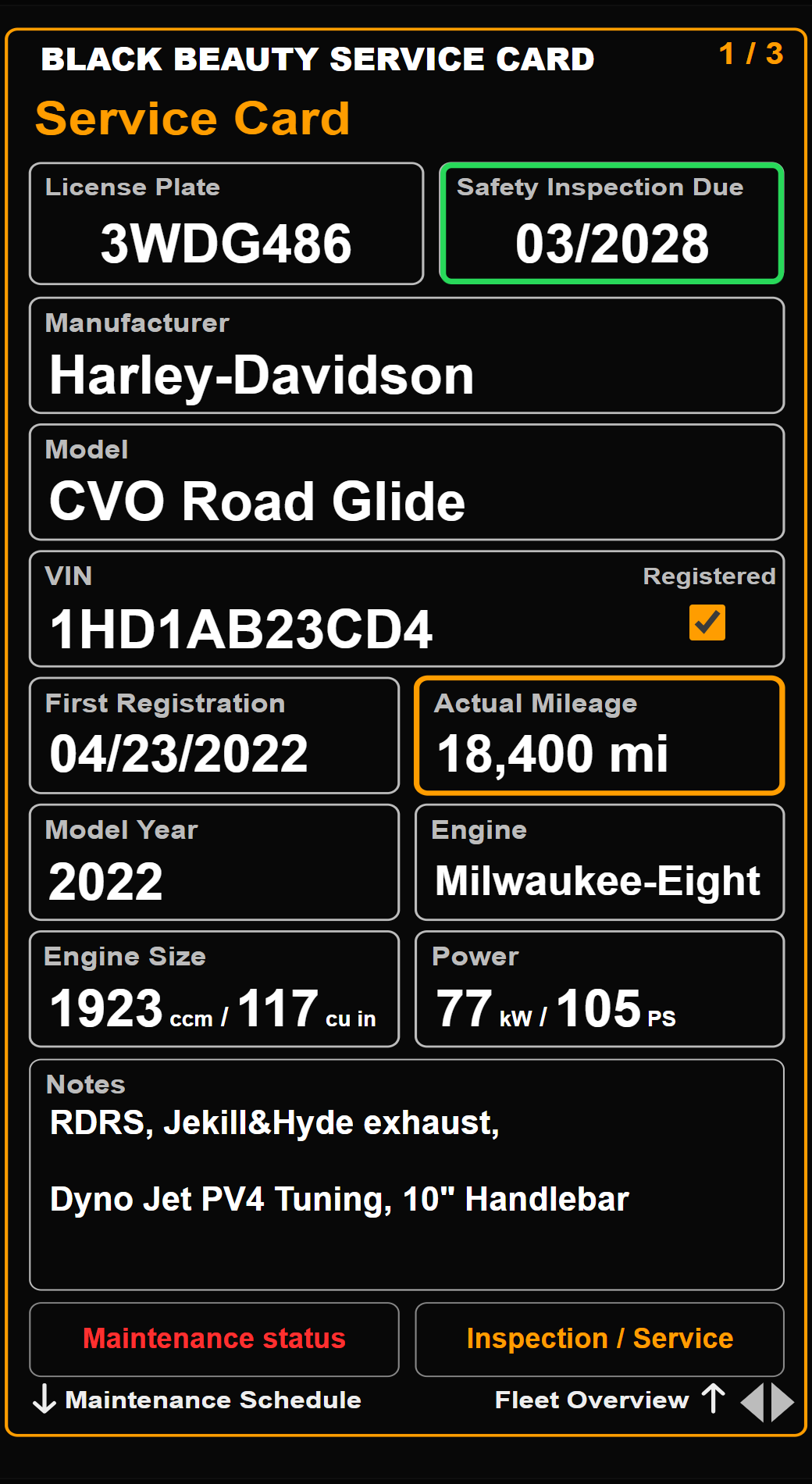
Vehicle details, current mileage, inspection dates and maintenance status. A fleet overview brings your vehicles together.
Your machines. Your maintenance.
Know what was done.
See what needs doing next.
One clear place for vehicle details, service history, parts and reminders. Built for motorcycles. Configurable for almost anything that needs maintenance.
$9.90 USD once per vehicle • Up to 3 personal devices
Less searching. More clarity.
From your own garage to a club or a company vehicle pool: keep each vehicle’s record in the same familiar format.
Vehicle details, current mileage, inspection dates and maintenance status. A fleet overview brings your vehicles together.
Link tasks to Inspection / Service to carry over performed values. Switch between km and mi, kW and PS, or cc and cu in.
Opt into email and push reminders for approaching or overdue dates. Orange means due soon; red means overdue.
Three cards. One complete record.
Important details and Notes in one place. Four fields let you change the label, value type and an optional numeric unit.
Configure twelve tasks from Motor Oil to Other. Set dates, mileage, intervals and advance warnings to suit the machine.
Record the fluids and parts you use. Keep your preferred workshop handy and share your service card or maintenance history.
Tap any screenshot to inspect it. Sample maintenance dates and intervals illustrate the app; use the requirements for your own vehicle.
Motorcycle roots. Much wider possibilities.
A three-hole oil change needs different details from a trailer’s load limits. Your cards can reflect that.
Keep the motorcycle defaults or configure the four fields on Card 1 for information such as GVWR, payload, coupler type or braking information. Choose a date, a 1–6 digit number or text. Original fields and conversions can be restored.
Notes and the remaining fields are regular input fields. On Card 2, all twelve tasks from Motor Oil through Other can be configured to match what you maintain.
These four fields are yours to configure.
Change the label, choose date, number or text, and add a unit for numeric values.
Made to be used, not studied.
Swipe between cards. Tap a task to choose what to change. Use the scroll wheels to set the value, then save a new maintenance entry or correct an existing one.
One vehicle or a whole fleet.
Up to 99 vehicle profiles. A consistent view across your garage, club or company vehicle pool.
Up to three active personal devices per license. Shared team accounts and role-based permissions are not included.
Take it for a test ride.
Try the actual interface. No registration needed.
Edit a value, configure a field, scroll through a date or explore the trailer example. Your test entries stay in this browser.
Inside the demo: “Clear all” starts a blank card; “Load examples” restores the samples. Real activation, device sync, email and push delivery are disabled in this public test.
INTERACTIVE DEMO · CLICK OPEN TEST CARDOne clear price.
A dedicated license for each vehicle or piece of equipment.
$9.90 USD
One-time payment. Applicable tax is shown at checkout.
No. Its defaults are designed around motorcycles, including separate engine, primary and transmission oil tasks. Custom labels and input types make it useful for cars, trailers and other maintained equipment. Set appropriate intervals yourself.
Card 1 has four configurable fields: Model Year, Engine Size, Power and Engine. Change their labels and choose date, number or text input; numbers can include a custom unit. Notes and the other fields remain regular input fields. Card 2 has twelve configurable tasks, Motor Oil through Other, plus Safety Inspection and Inspection / Service.
With reminders enabled, approaching and overdue dates can trigger email and push notifications. Mileage-based status is shown in the app after mileage updates; mileage changes do not send reminders. On iPhone, add the app to the Home Screen and enable push from there. Delivery depends on your device and notification settings.